Dashboards
Collect the reports you check most often on one page, set a shared date range and let AI summarize what changed.
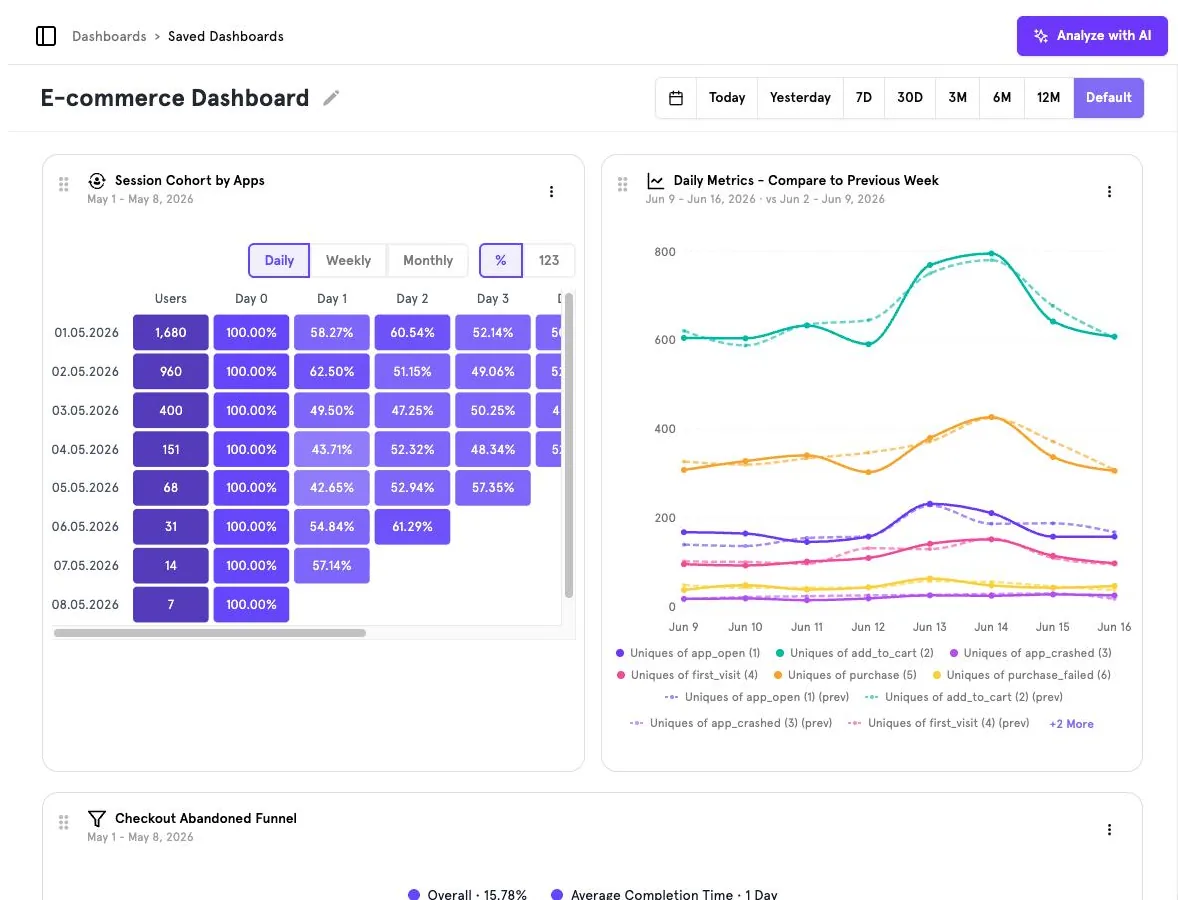
Working with a dashboard#
- Date range — Today Yesterday 7D 30D 3M 6M 12M or Default (each card's own saved range).
- Rearrange — drag a card by its handle; use the
⋮menu on a card for more options. - Rename — click the pencil next to the dashboard title.
- Analyze with AI — get a written summary and interpretation of every card on the dashboard.
Card types#
Any saved Insights report can be a card: event trends (with previous-period comparison), funnels, retention cohorts and more. In the example above, Daily Metrics – Compare to Previous Week overlays dashed previous-week lines on top of the current week.
Saved Dashboards
The breadcrumb Dashboards › Saved Dashboards takes you to the list of all dashboards in the workspace.
Was this page helpful?
Screenshots captured from the B2Metric E‑Commerce demo workspace, October 2026.