Funnels
See where users convert and where they drop off between a sequence of steps — and how long each step takes.
Build a funnel#
Add steps
Under Events add each step in order — e.g.
add_to_cart,begin_checkout,purchase.Set the conversion window
Under Conversion Criteria set how long a user has to complete the funnel (e.g. 7 days).
Optional: break down
Add a Breakdown to compare the funnel across platforms, sources or any property.
Read the results#
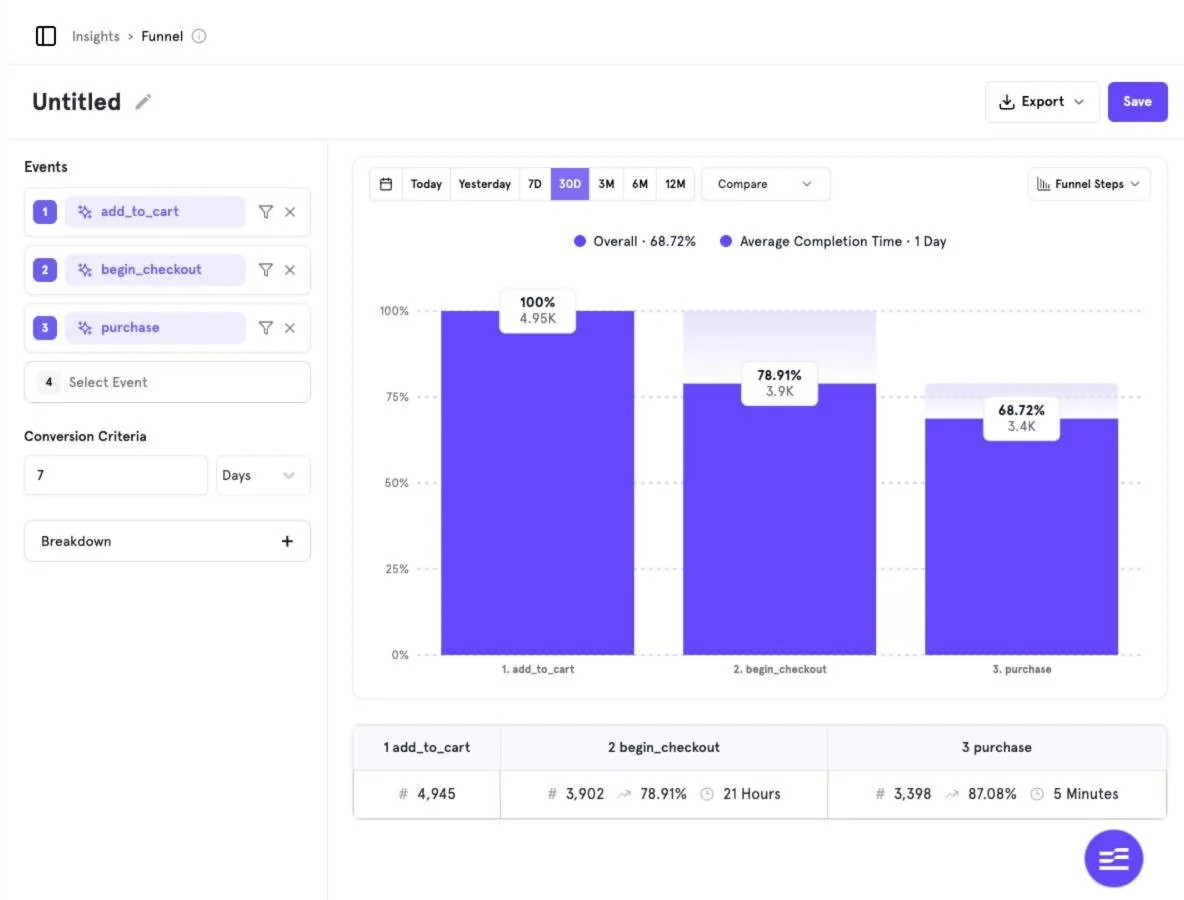
- Overall conversion and Average Completion Time appear above the chart.
- Each bar shows the share of users that reached the step; the table below shows counts, step-to-step conversion and time between steps.
In the demo, 4,945 users added to cart, 3,902 began checkout (78.91%) and 3,398 purchased — an overall conversion of about 69% with an average completion time of one day.
Views#
| View | Shows |
|---|---|
| Funnel Steps | Conversion by step as bars (default). |
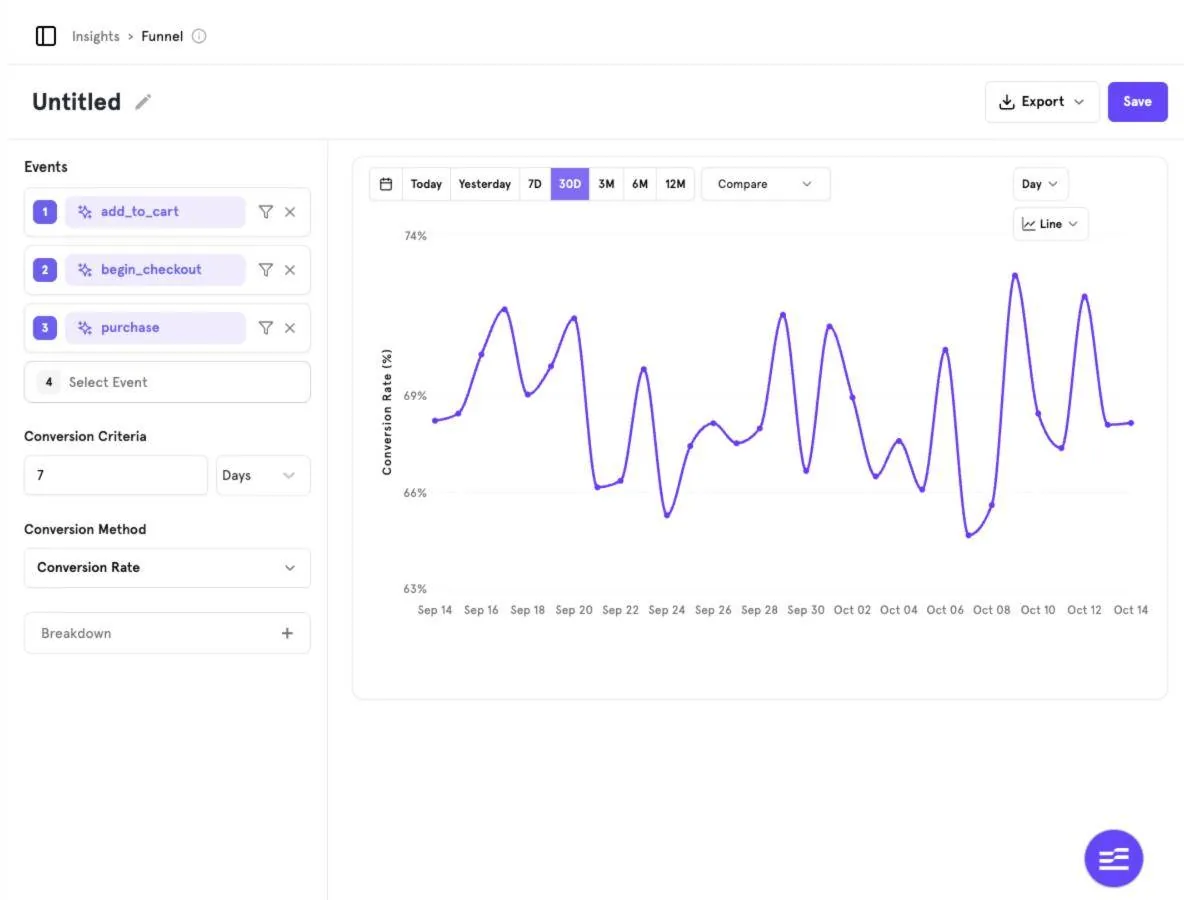
| Line | Overall conversion rate over time. |
| Metric | The overall conversion as a single number. |
Was this page helpful?
Screenshots captured from the B2Metric E‑Commerce demo workspace, October 2026.