Product to User
Start from a product and find the users most likely to buy it.
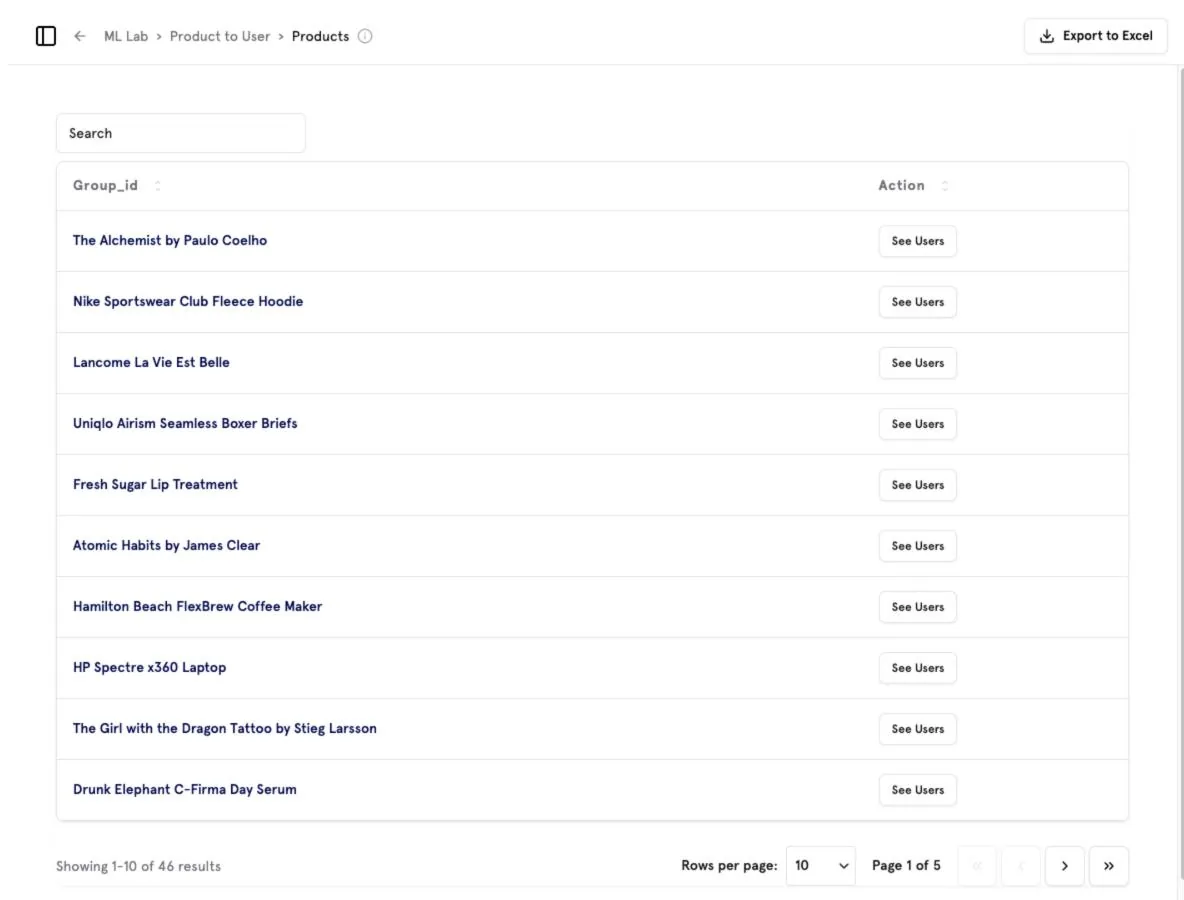
Pick a product
Search or browse the product list and click See Users.
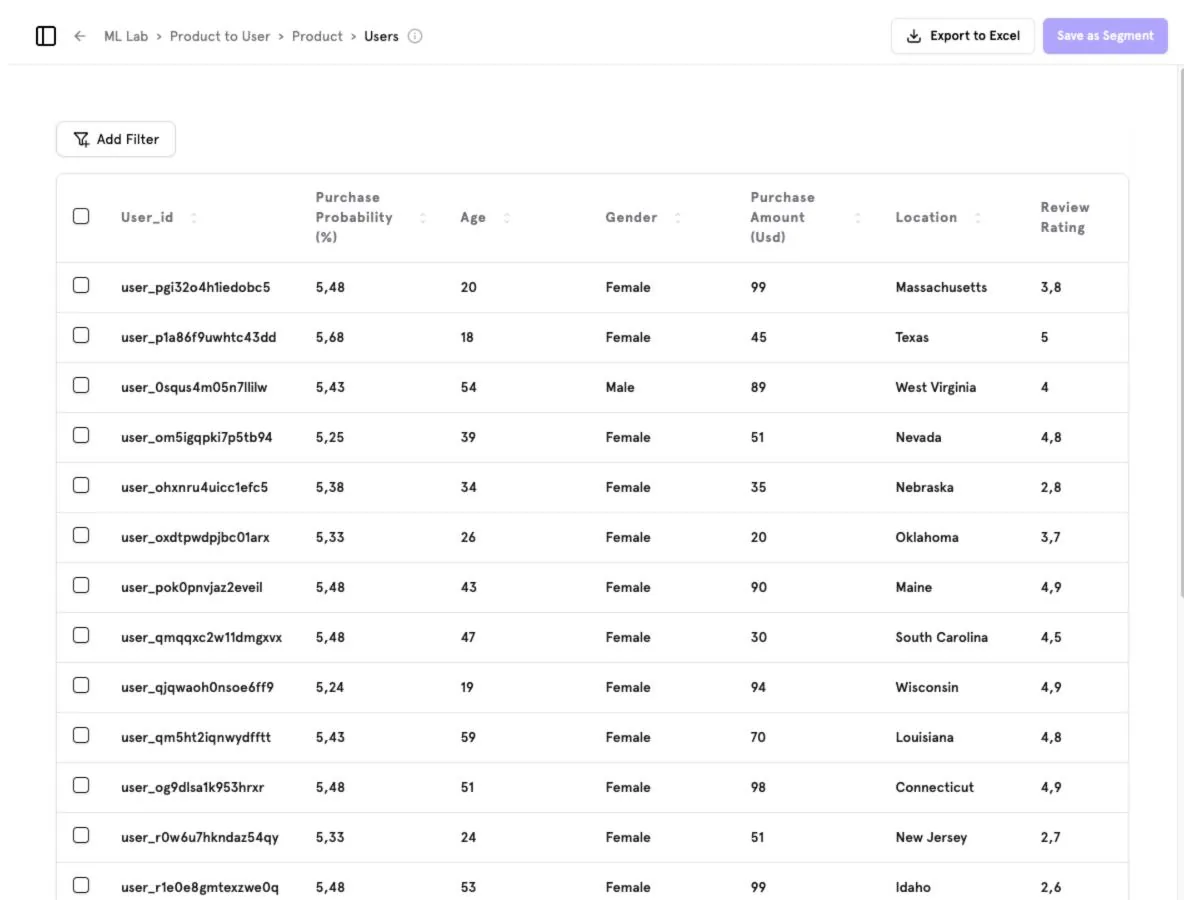
Review the audience
Users are ranked by predicted purchase probability, with age, gender, purchase amount and location.
Act
Use Add Filter to narrow the list, Save as Segment to target it, or Export to Excel.
Was this page helpful?
Screenshots captured from the B2Metric E‑Commerce demo workspace, October 2026.