All Users and user profiles
Look up any user and see everything B2Metric knows about them — identity, orders, behavior, engagement and predictive scores.
Open a profile#
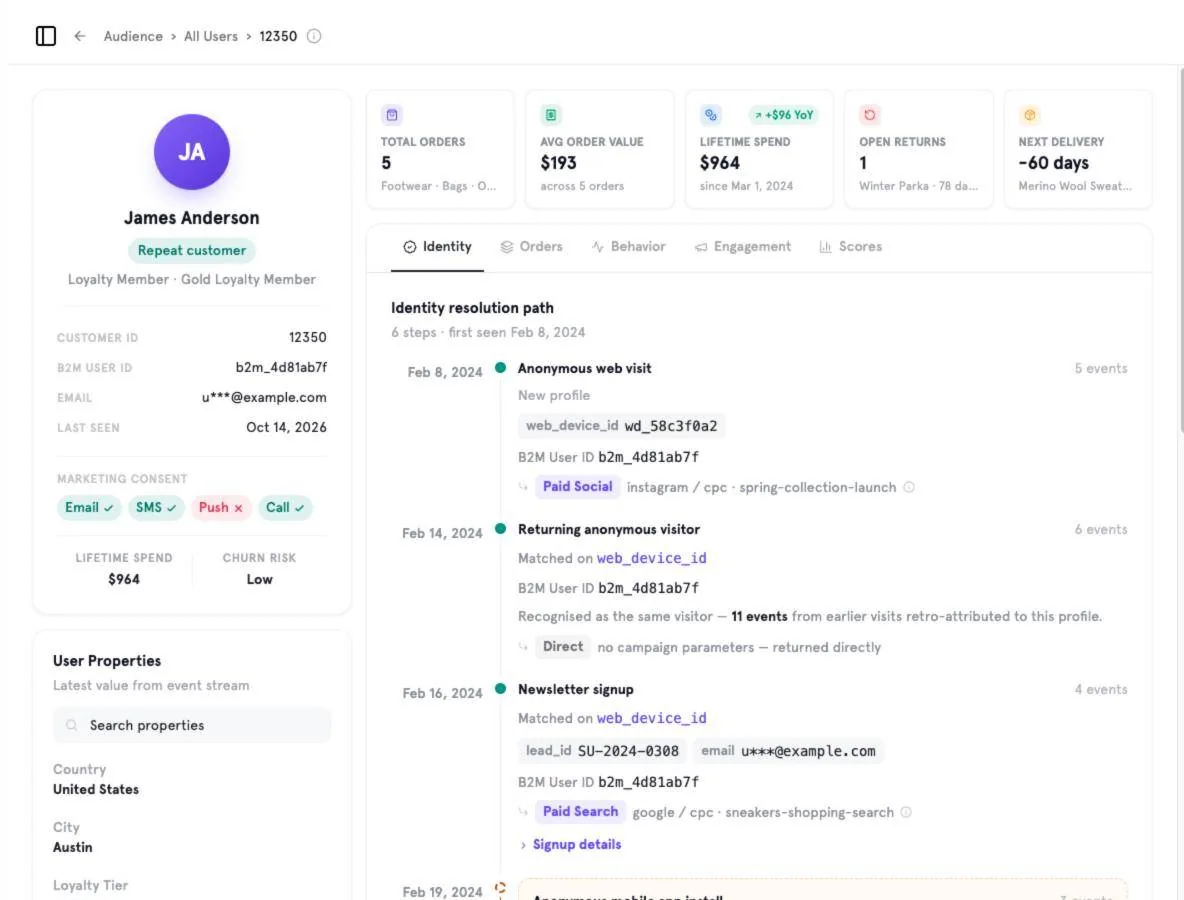
Go to Audience → All Users and click a user. The profile opens with a summary card on the left and tabs on the right.
Profile summary#
- Header KPIs — total orders, average order value, lifetime spend, open returns and next delivery.
- Identifiers — Customer ID, B2M User ID, email and last seen.
- Marketing consent per channel (Email, SMS, Push, Call).
- User Properties — the latest value of each property from the event stream; searchable.
Tabs#
| Tab | What you see |
|---|---|
| Identity | The identity resolution path: every anonymous visit, device, sign-up and CRM match that was merged into this profile, with the campaign that brought the user in. |
| Orders | Order history. |
| Behavior | Event activity over time. |
| Engagement | Interactions with your campaigns and channels. |
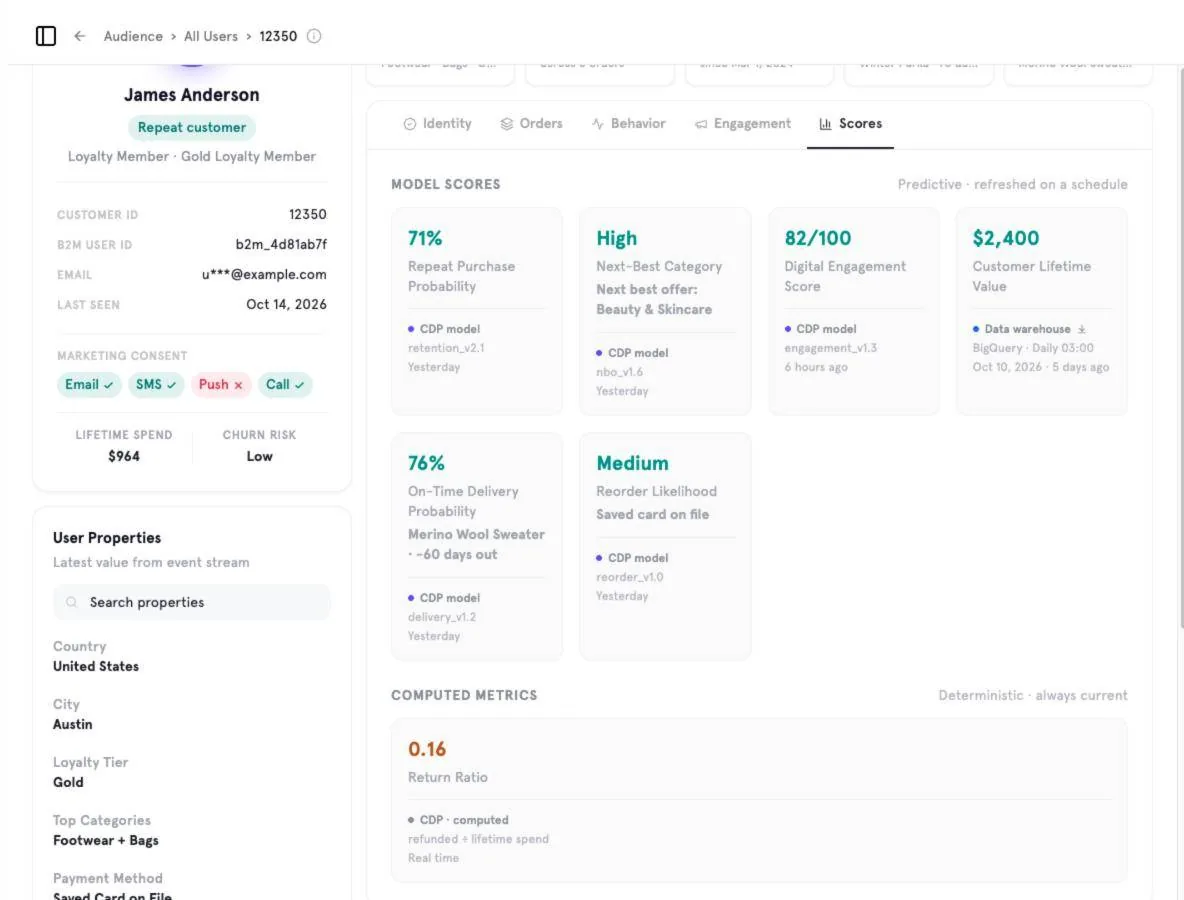
| Scores | Predictive model scores and computed metrics. |
Model scores vs. computed metrics#
Model scores are predictive and refreshed on a schedule — for example repeat-purchase probability, next-best category, digital engagement score or customer lifetime value. Each shows the model or data source and when it was last updated. Computed metrics (such as return ratio) are deterministic and always current.
Was this page helpful?
Screenshots captured from the B2Metric E‑Commerce demo workspace, October 2026.